

Geospatial Books
Here are some other books you may find useful:
 
|
 
|
 
|
 
|
 
|
 
|
 February 6, 2012
·
February 6, 2012
·  admin ·
  No Comments
 Tags: grass, mapserver, openlayers, postgis, python · Posted in: Book
PDF Version Now Available for Purchase
By popular demand, you can now get The Geospatial Desktop in PDF format.
To get yours, create an account, then go to the book page and click the “Buy PDF” button.
The PDF is personalized and DRM-free: you can can use it on any device; just don’t share it with others.
Right now you can get The Geospatial Desktop PDF at a 25% discount. This sale won’t last long so get yours today.
August 10, 2013
· admin · No Comments
Posted in: Book
Kindle Edition Now Available
The Geospatial Desktop is now available on the Kindle at significant savings over the paperback. You can find it from the book’s Kindle page.
You don’t need a Kindle to use use the book. Other options include:
- Kindle Reader for PC and Mac
- Kindle App for iPhone, iPad, Blackberry, Windows Phone 7, and Android
- Kindle Cloud Reader
You can learn more about the available readers on the Kindle Reading Apps page.
To get a good feel for the book, you can download a free sample that includes the first 44 pages. See the right margin of the book’s Kindle page for the sample download.
March 1, 2012
· admin · No Comments
Tags: kindle · Posted in: Book
Excerpts from the Book
To give you a view into the book, we have added a couple of excerpts. These are available from the Excerpts page:
- Chapter 13, Using Command Line Tools
- Creating maps with GMT
- Chapter 15, GIS Scripting
- Writing a QGIS Python Plugin
February 5, 2012
· admin · No Comments
Posted in: Book, GMT, QGIS
The Geospatial Desktop is Now Available
The Geospatial Desktop book is now available for order from Amazon>. Published by Locate Press, it is a revision of the book originally entitled Desktop GIS.
For information on what’s in the book, see About the Book and the Annotated Chapter List.
Take a look at the Changes page to see what’s new/different in this revision.
January 23, 2012
· admin · No Comments
Posted in: Book
The Proof is in Hand
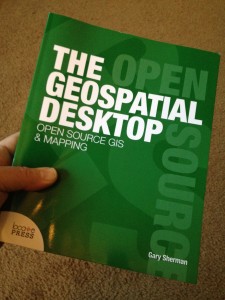
The proof copy of The Geospatial Desktop has arrived and is being reviewed. It shouldn’t be long now before the book is available on Amazon.
If you want to be notified when the book is available, use the Contact form to provide your email address. We’ll notify you when we have a firm date for the release of the book.
You may also want to sign up for the Locate Press newsletter.
January 18, 2012
· admin · No Comments
Posted in: Book, GDAL, GMT, OGR, QGIS
Converting E00 Files
Although some GIS applications support using E00 files directly you will likely find it more efficient to convert them to another format. This can be easily done with ogr2ogr.
November 24, 2011
· admin · 2 Comments
Tags: ogr2ogr, posgresql, postgis, spatilite · Posted in: OGR
Revised Version
Desktop GIS published by Pragmatic Press is currently out of print.
We are working on a new, revised version of the book titled The Geospatial Desktop to be published by Locate Press around the first of the year.
If you want to be notified when the book is available, use the Contact form to provide your email address. We’ll notify you when we have a firm date for the release of the book.
For more information, feel free to contact us.
November 21, 2011
· admin · No Comments
Tags: book · Posted in: Book
The Volcano and the Buffer
Here in Alaska we have over 130 volcanoes with more than 50 being active in about the last 250 years. Presently Mt. Redoubt is in an eruptive phase and has been since March 22. Ash from the volcano has fallen in a number of communities and areas throughout the state. A couple of weeks or so ago the reports from the Alaska Volcano Observatory indicated the ash was falling within 30 miles of the volcano. I decided to do a quick analysis to see what areas might be affected.
This is an example of simple analysis with GIS. We just get the location of the volcano and create a 30 mile buffer and then visually determine the affected areas. To do this we need data for towns and the location of the volcano. We could use a volcano layer if we had one, but in this case I’m going to use a simple method to create a point shapefile from text data.
April 27, 2009
· admin · No Comments
Tags: gdal, qgis, vrt · Posted in: GDAL, QGIS
Creating a Standalone GIS Application
In this example we are going to begin to build a standalone GIS application using Python and the QGIS libraries. We’ll start simple by creating an application to load and display a shapefile. In later posts we’ll enhance the application to provide some map tools and other features.
February 7, 2009
· admin · 2 Comments
Tags: pyqgis, python, qgis · Posted in: Apps, QGIS


